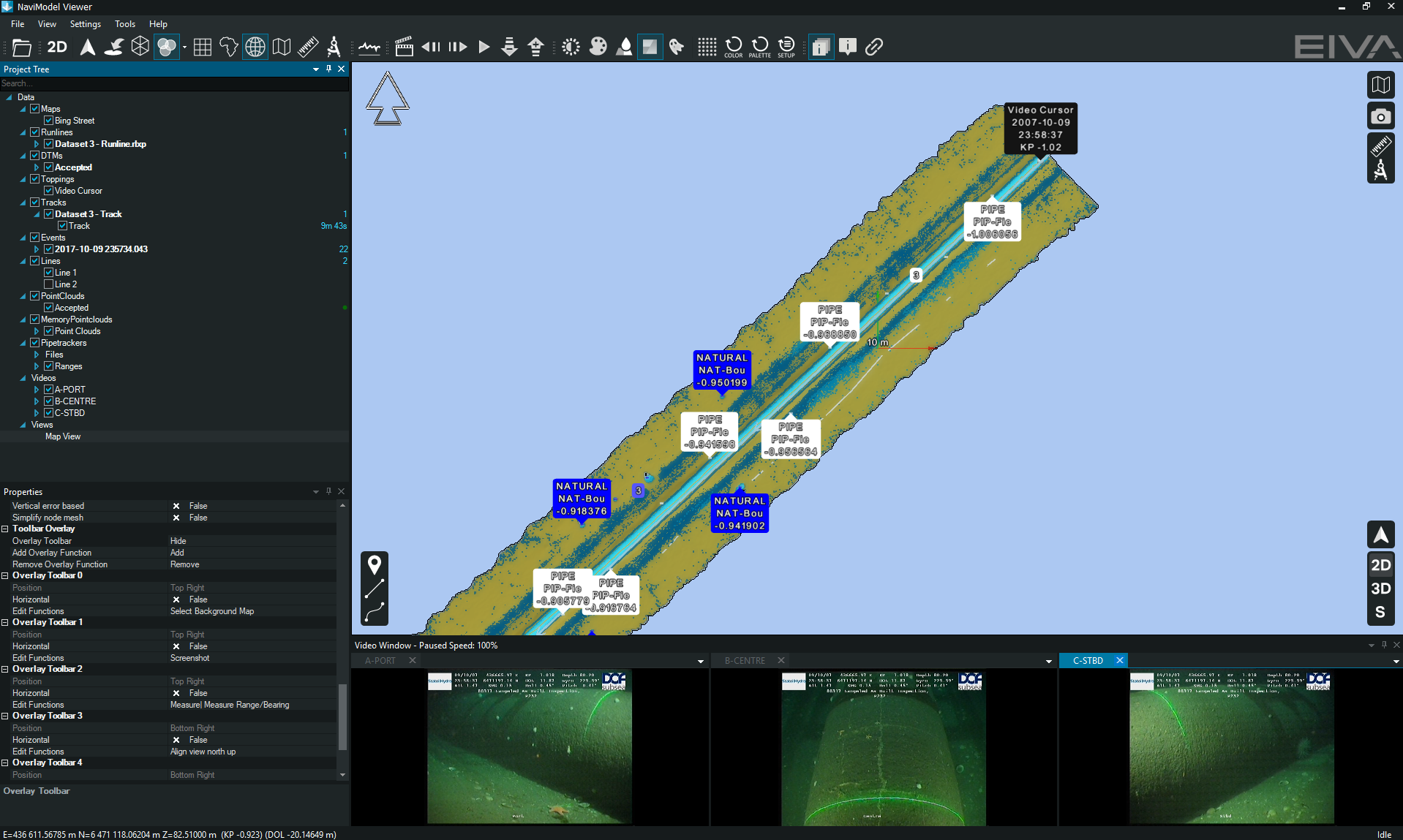
NaviModel Viewer is a version of NaviModel that allows for visualisation of any type of laser and sonar xyz data in an easy to use interface. Its features enable users to view and navigate data, change visualisation settings, and create fly-through videos of 3D models. Details about all the features included can also be found on this page, in the comparison table for all 3 variants of NaviModel: https://www.eiva.com/products/navisuite/navisuite-processing-software/navimodel-producer
Features included:
- Open NaviModel projects (both versions Producer and Analyser)
- View data in project (DTM, Point cloud, runline, track, video, pipetracker, events etc)
- Modify settings (items included in the properties)
- Video recording (key frames etc. fly through video)
- Distance measurements (measure and measure range and bearing)
- Generate digital terrain models (drag and drop .xyz, out of point clouds etc.)
- Compare multiple projects/models (comparison between 2 models)
- View events (visualise events in the Map view, event window)
- View video (play video at any location on the track)
- Generate cross profiles (cross profiles on the DTM)
- 3D pipe (visualize the pipe, markers, flags etc)
- Side-scan sonar mosaicking (can visualise side scan data)
- Eventing, video eventing and mosaicking (can be visualised)
- 3D and CAD object integration (can be visualized if already present)
- 3D subsea data (PAngeo Sub-bottom Imager)
- Integration of GIS, bitmaps, maps, etc
- Channel design (can be visualise)
- Edit digitised lines (move, add new points etc)
- Open runlines (visualise runlines)
- Carry out patch test (eLearning dedicated module and/or article for NaviModel Producer https://eiva.freshdesk.com/a/solutions/articles/43000548378, you must have NaviEdit installed and data placed in a database)
- Visibility slider (to switch between DTMs)
- Connect to Caris (connect to existing Caris database)
NaviModel Viewer is most used by the clients (which do not have any NaviSuite licences) when they review the work done by the contractors.It is free of charge and does not require registration. Once software has been installed, it can open any given project created with NaviModel Producer or Analyser versions. Please note, Viewer can only open existing projects and not create new ones.
All items included in the .nmp project can be visualised and inspected. Below is an example of how a comprehensive project created with NaviModel Producer is visualised in NaviModel Viewer.