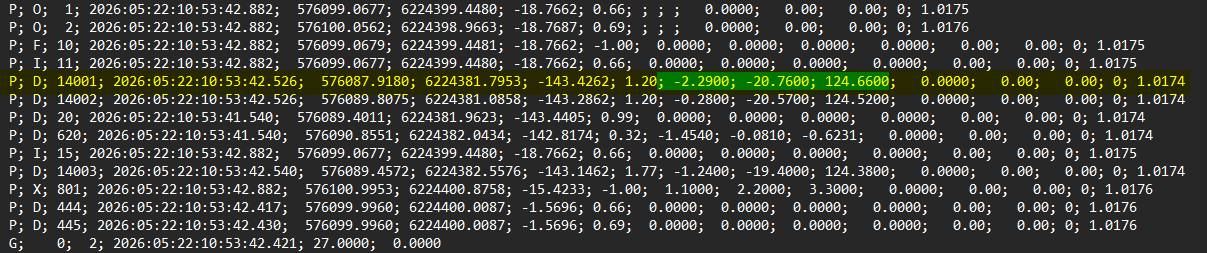
NaviPac via the logging utility allows the user to log specific transponder data (relative x,y,z values to the usbl head) on the custom logging. If the project requires such data to be recorded, the surveyor must setup a custom logging that includes the position (east, north and height) of each TP and associated fields (dX,dY,dZ). Below it is shown how this can be achieved in NaviPac Online - Logging utility:
1. Open LogData window from the Online Window
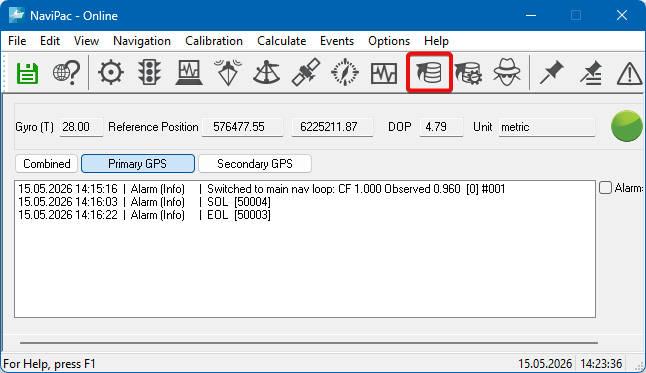
Fig.1 Online Window
2. Edit/Custom Logging Format...
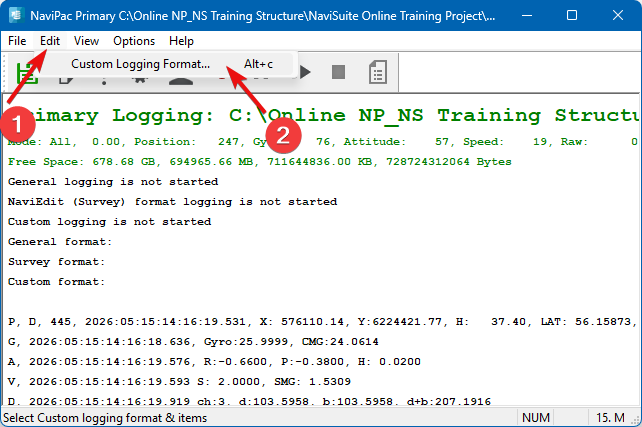
Fig.2 LogData window
3. Make sure "Save Header" is ticked
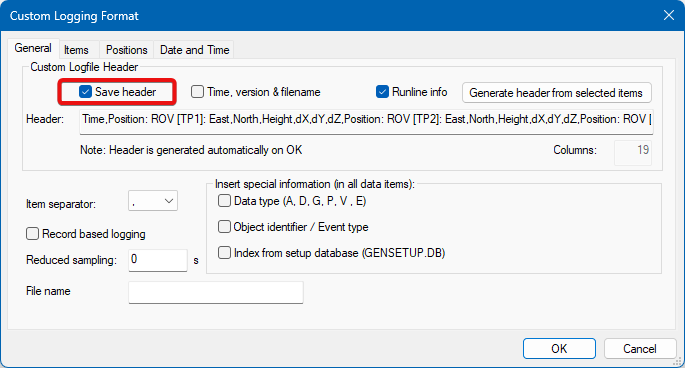
Fig.3 Saving the header in the custom logging file
4. In the "items" tab, move from "Available" to "Selected" the available transponders
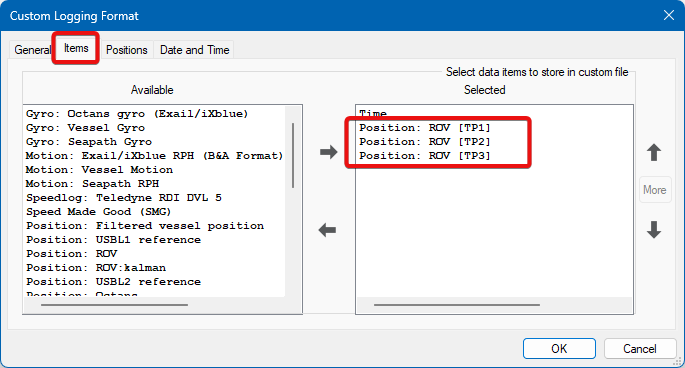
Fig.4 Adding transponders to log file
5. Under "Positions" tab, select "Delta X, Y, Z (Dynamic Position)
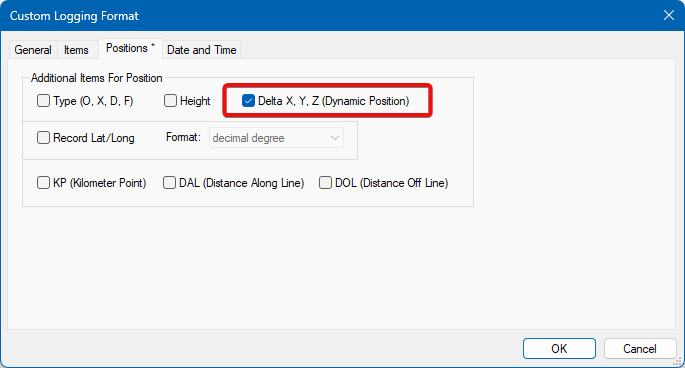
Fig.5 Selecting the items for logging
The result will be found in Custom log file
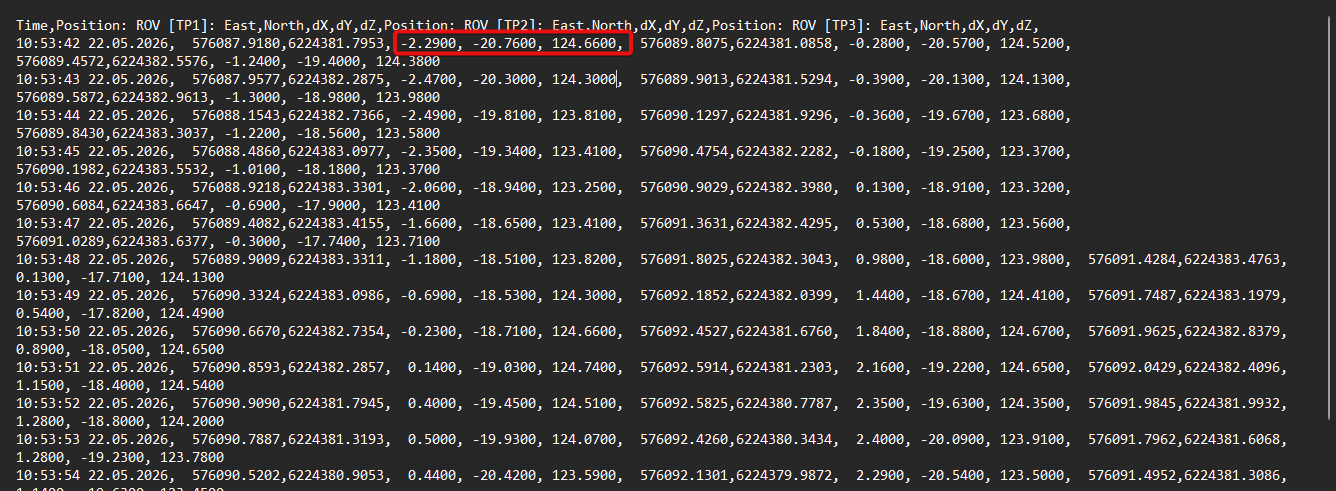
Note: these values are already logged in the Survey file (S-NPD)