
Q. How can I merge specific file formats into the blocks in NaviEdit?
A. The NaviEdit JobPlanner supports the following file formats:
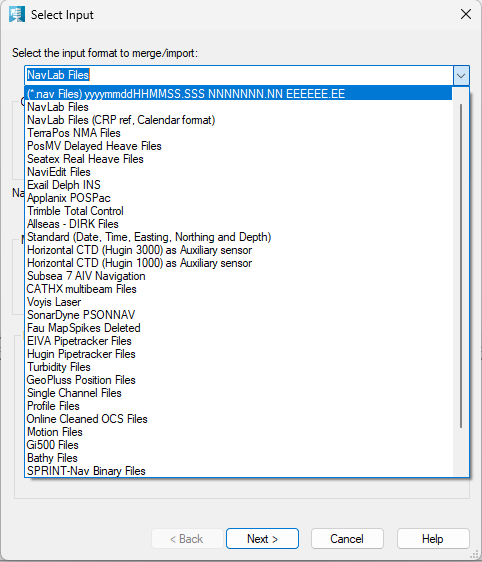
1. NavLab files in three formats
2. TerraPos NMA files
3. PosMV delayed Heave Files
4. Seatex Real Heave Files
5. NaviEdit files
6. Exail Delph INS
7. Applanix POSPac
8. Trimble Total control
9. Allseas - DIRK Files
10. Standard
11. Horizontal CTD (Hugin 3000) as auxiliary sensor
12. Horizontal CTD (Hugin 1000) as auxiliary sensor
13. Subsea7 AIV Navigation
14. CathX multibeam Files
15. Voyis laser
16. SonarDyne PSONNAV
17. Fau Map Spikes Deleted
18. EIVA Pipetracker Files
19. Hugin Pipetracker Files
20. Turbidity files
21. GeoPluss Position Files
22. Single channe; Files
23. Profile Files
24. Online Cleaned OCS files
25. Motion Files
26. Gi500 Files
27. Bathy Files
28. Sprint-Nav Binary files
29. CathX binary multibeam Files
30. INS Files in two formats
For the formats from above, the description is either stated in the name or in the Help section.
Below are some examples:
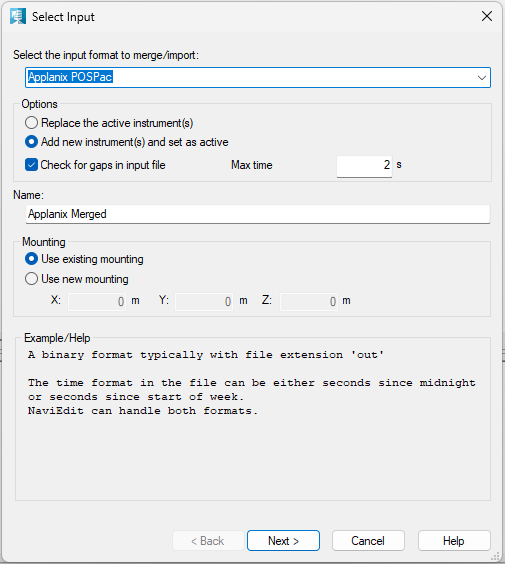
The Applanix POSProc format is binary:
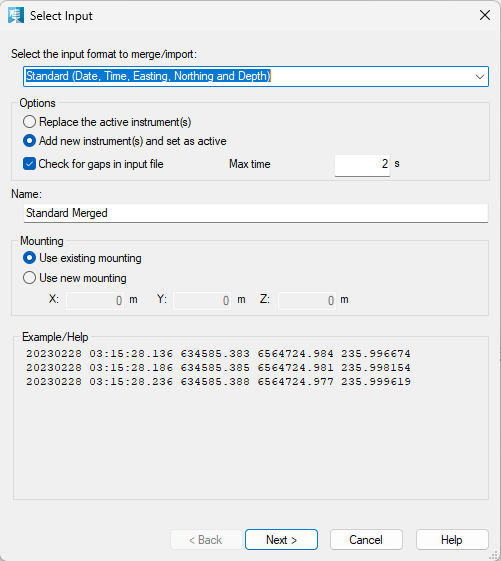
The Standard format is show below:
20100309 18:30:39.572 518010.142 9304127.345 32.41
20100309 18:30:41.577 518010.120 9304127.880 32.64
20100309 18:30:43.730 518010.182 9304128.141 32.27
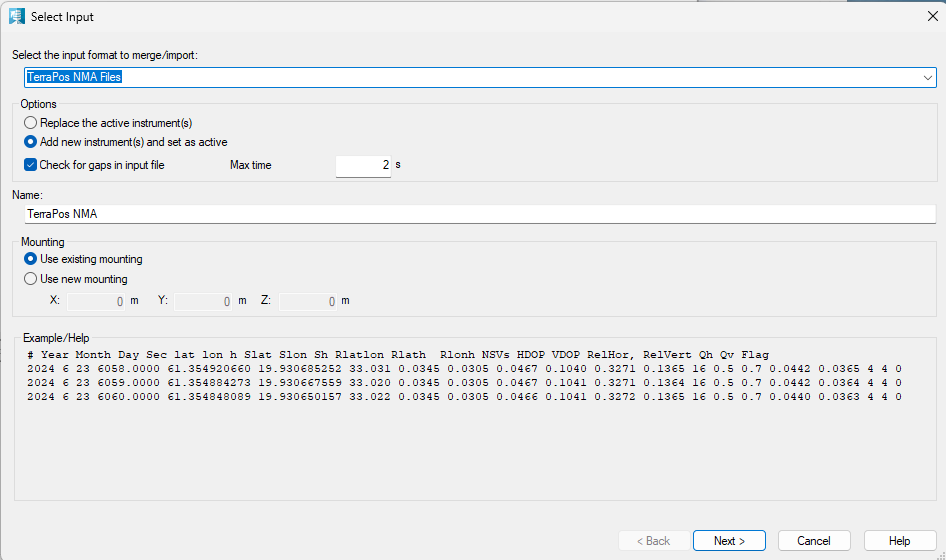
The TerraPos is as show below:
# Year Month Day Sec lat lon h Slat Slon Sh Rlatlon Rlath Rlonh NSVs HDOP VDOP RelHor RelVert Qh Qv Flag
2008 3 7 62566.0000 60.646782564 4.843832431 -25.347 0.0330 0.0436 0.0400 0.7341 0.0598 -0.1359 11 0.9 1.6 0.1783 0.2665 4 4 0
2008 3 7 62596.0000 60.646831849 4.843827914 -25.374 0.0331 0.0434 0.0401 0.7325 0.0407 -0.1573 11 0.9 1.6 0.1636 0.2638 4
There are two different NavLab attitude formats holding the same kind of data: Time, Roll, Pitch and Heading.
Navlab:
Time Lat in radian Long in radian Depth
1179179101.202228 1.134059548584164 0.1130091400934067 349.1989770603225
1179179101.212228 1.134059548590442 0.1130091401345929 349.1981643081281
1179179101.342228 1.13405954868927 0.1130091406777251 349.1875707807051
1179179102.222315 1.134059550244797 0.1130091442680535 349.1117743652447
1179179102.242315 1.134059550299165 0.1130091443501166 349.1100613551961
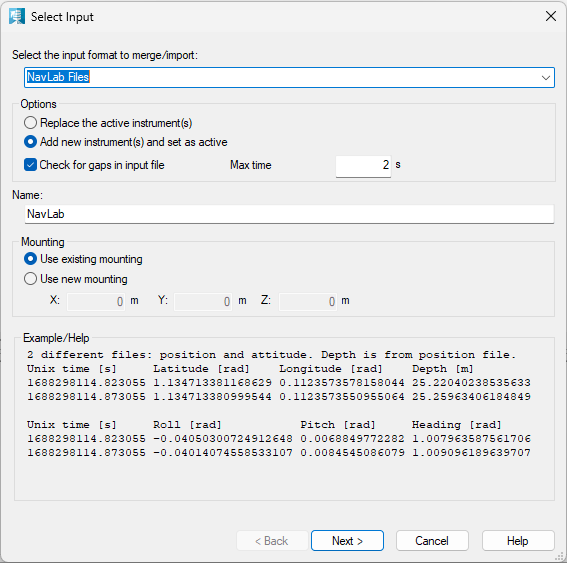
NavLab attitude example where time is in Unix seconds since January 1970, Roll, Pitch and Heading are in radians:
DateTime Roll Pitch Heading
1190298114.823055 -0.04050300724912648 0.006884977228270248 1.007963587561706
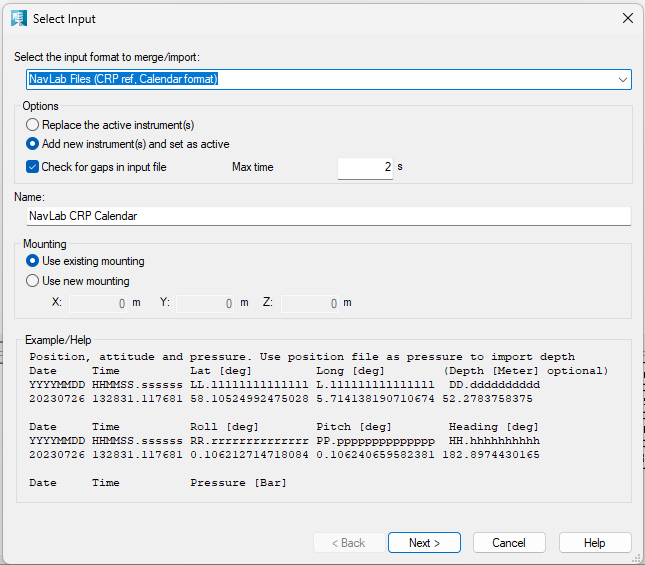
NavLab Calendar position:
Date Time Lat Long Dummy
20070920 142154.823055 65.01429519111692 6.437627548707974 23.84332310590744
20070920 142154.873055 65.01429515526093 6.437627379555112 23.88026390948552
20070920 142154.893055 65.01429514048549 6.437627311110373 23.89501717708075
NavLab Calendar Attitude where time is YearMonthDay HourMinSeconds.Microseconds, Roll, Pitch and Heading are in degrees:
Date Time Roll Pitch Heading
20070920 142154.823055 -2.320651372962725 0.3944801372235648 57.75205947015098
20070920 142154.873055 -2.299895308547862 0.4844076610915628 57.81695278908815
20070920 142154.893055 -2.290077959438574 0.5191155733710812 57.8427047948927
EIVA Pipetracker File Format:
Input File (.txt)
Delimiter: whitespace (space or tab) — parsed with istream >> operator
Columns — exactly 3, in this order:
Column | Field | Type | Notes |
1 | Timestamp | double | Unix time (seconds since 1970-01-01 00:00:00 UTC) |
2 | PipeX | double | Lateral offset — across-track distance to pipe |
3 | PipeZ | double | Vertical offset — depth/height to pipe |
No header line is expected — the reader goes straight into parsing from line 1.
SAMPLE DATA:
1609459200.500 -0.342 12.17
Bathy files:
The standard format is - Date Time E N Z space separated:
