Both Helmsman Classic and Helmsman display are presented in the below article.
Q: How can I send Kongsberg DP Waypoints to my Kongsberg system in NaviPac 4?
A: In NaviPac 4 the Kongsberg DP Waypoints can be sent as described below:
To output Kongsberg DP waypoints to a Kongsberg system the driver Kongsberg DP Waypoints needs to be interfaced in NaviPac Configuration.
The driver can be found in the Data Output group, please refer to the below:
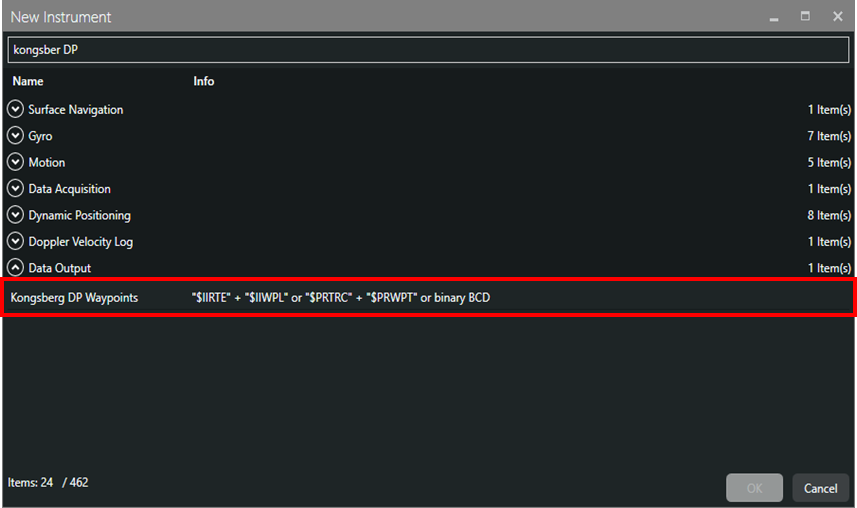
Once added to the NaviPac configuration, the settings of the driver can be made, please refer to the below:
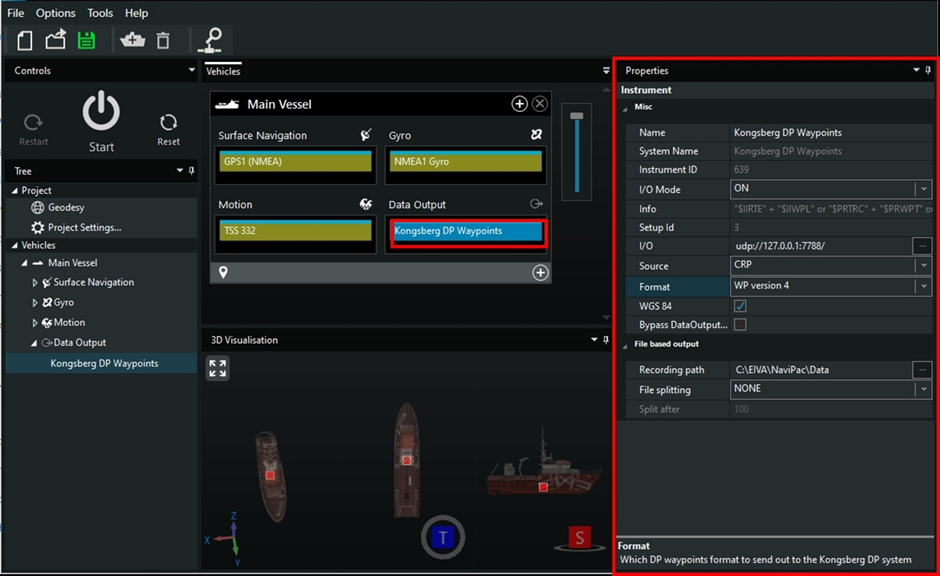
The most relevant properties of the driver are described below:
- source can be CRP or other POI from the vessel
- the option to choose WGS84 or User Datum
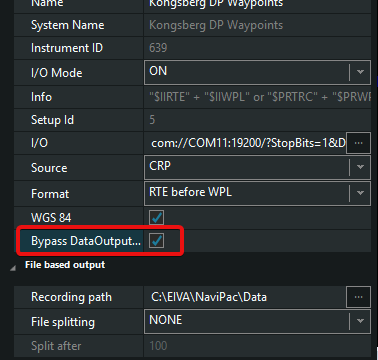
- the option to choose to bypass the DataOutputControl.exe (Bypass the DataOutputControl.exe module to handle Kongsberg DP Waypoints $IIRTE and $IIWPL) similarly as in legacy NaviPac 3.10.5)
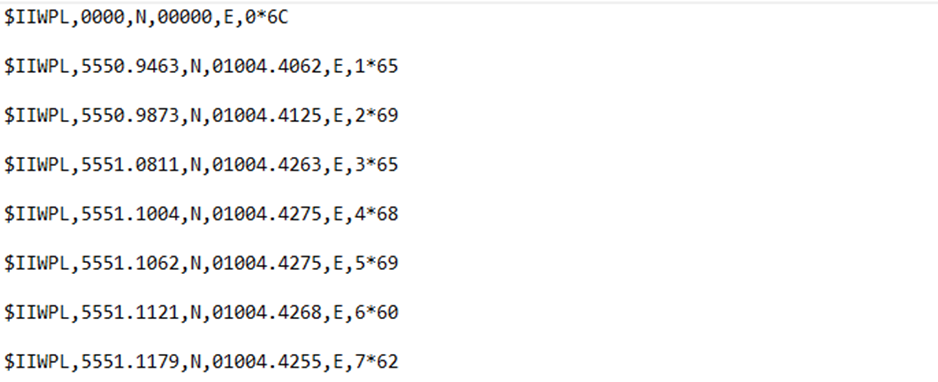
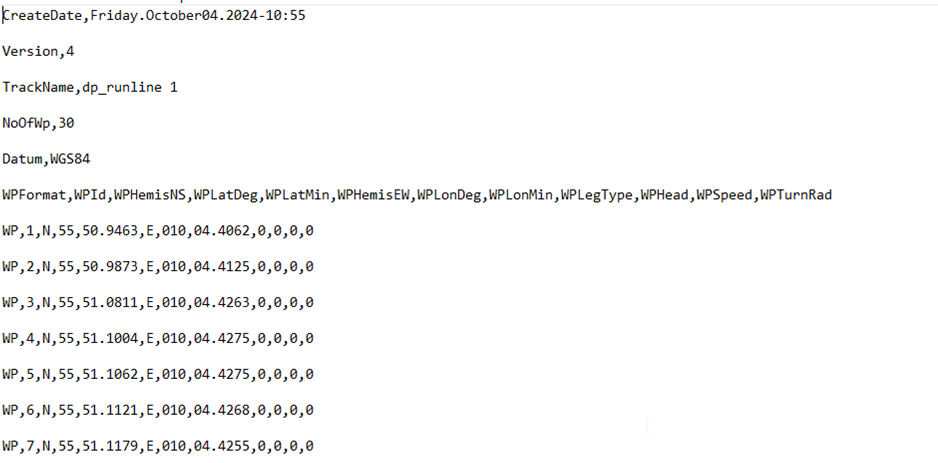
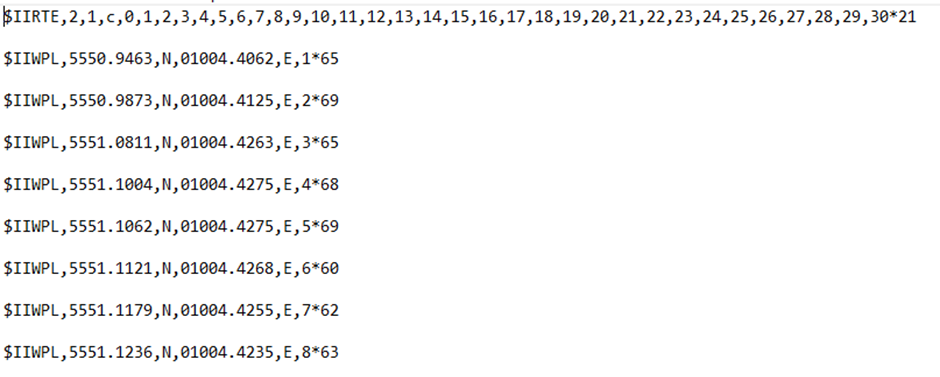
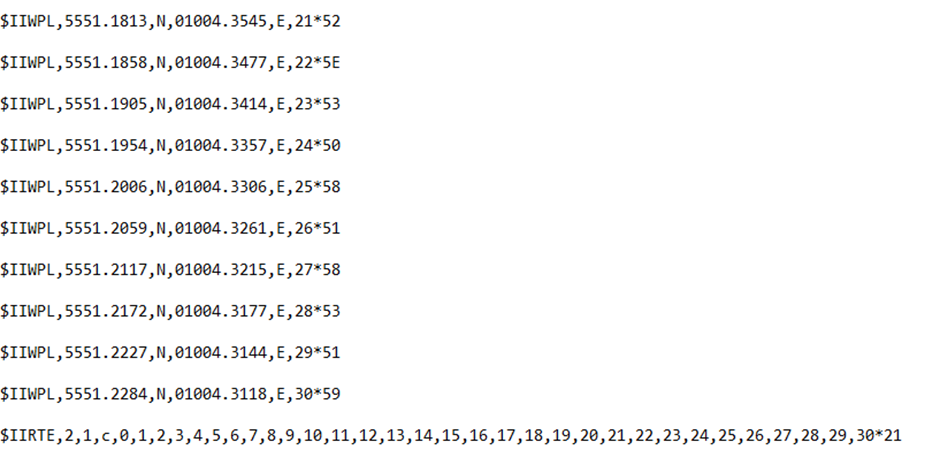
- formats supported are the following:
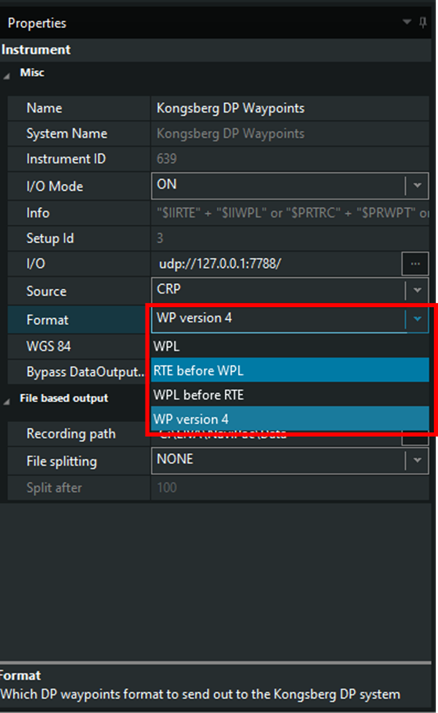
WLP – WayPoint Location(s) legacy:
WP – WayPoint version 4 NaviPac:
RTE before WLP – Route header line before WayPoint Location(s):
WPL before RTE - WayPoint Location(s) before Route header line:
If the option to Bypass DataOutputControl.exe is not ticked, then when going Online the module will start and other additional options can be added.
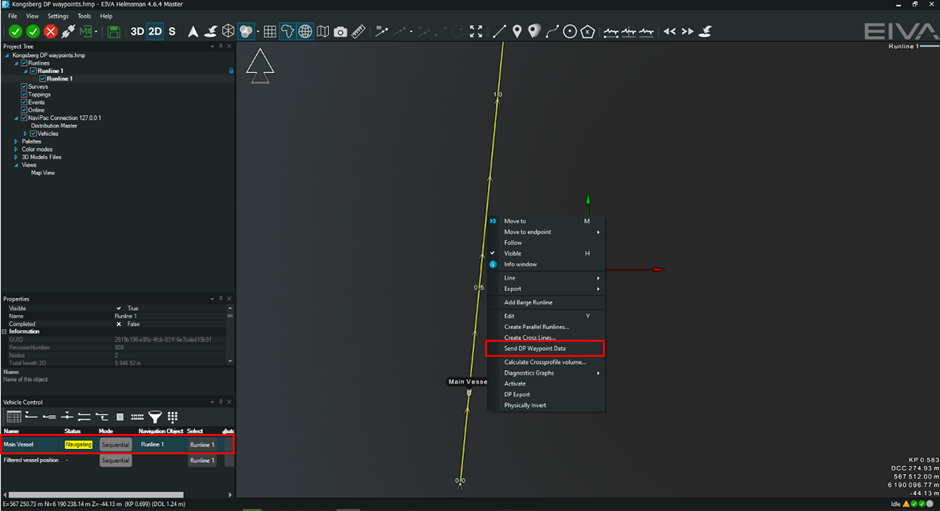
After all the basic settings are made in NaviPac Config, start NaviPac and open Helmsman’s Display. Open Vehicle Control and assign the Runline for the correct object (vessel) then right click on the runline and choose the option Send DP Waypoint Data. The data will be sent according to your format chosen previously.
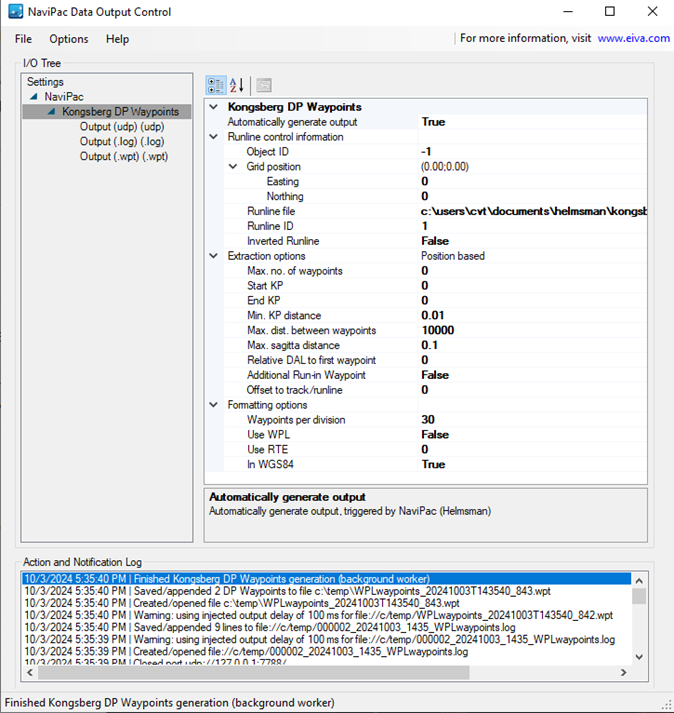
In the DataOutputControl.exe you can see the Runline being used for creating the output and a .log file and a .wpt file for checking if necessary.
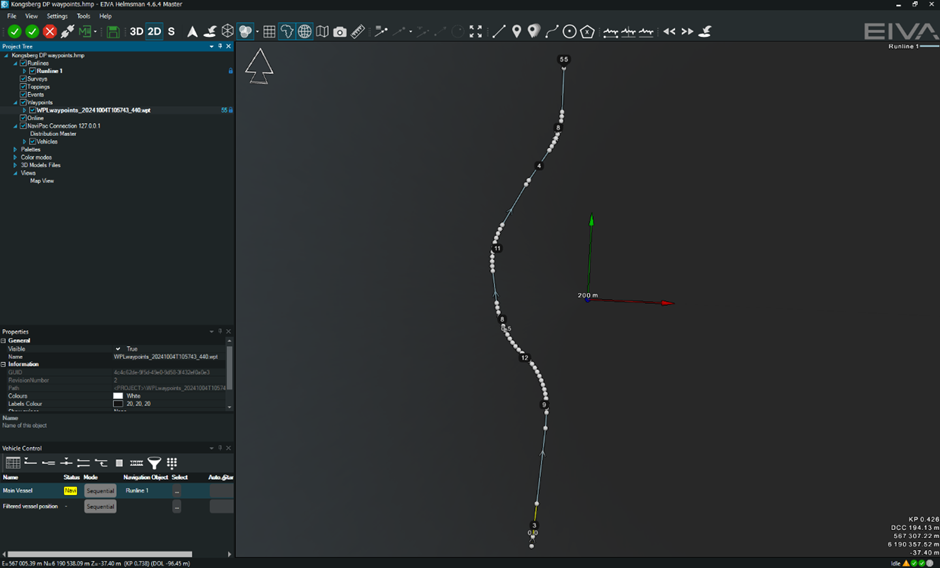
Example for the format WP version 4, the waypoints generated and loaded in the Helmsman’s display on top of the runline used:
For Helmsman Classic, user must bypass DataOutputControl.exe first:
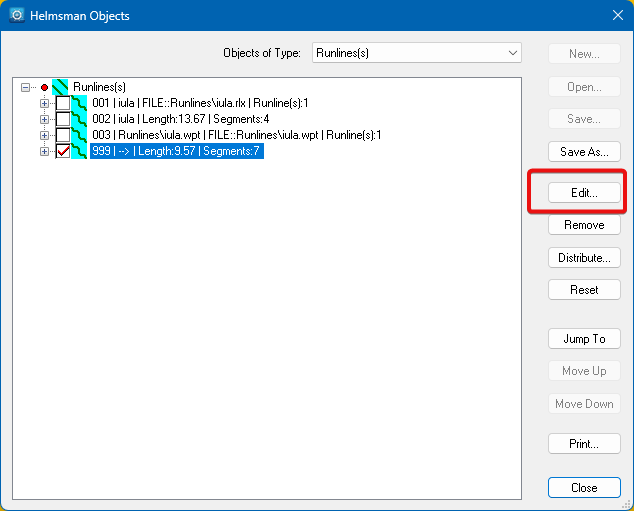
In Helmsman Classic, create or import a runline, then click on it and then click on Edit
Go to Waypoints, set the reference position and the other settings and click on Save As:
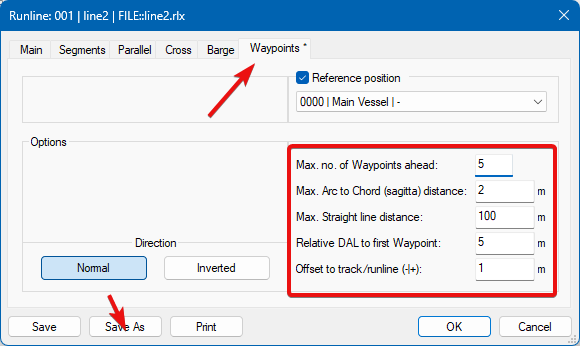
Helmsman Classic will save this as *.rlx (give it another name), not yet as waypoints file.
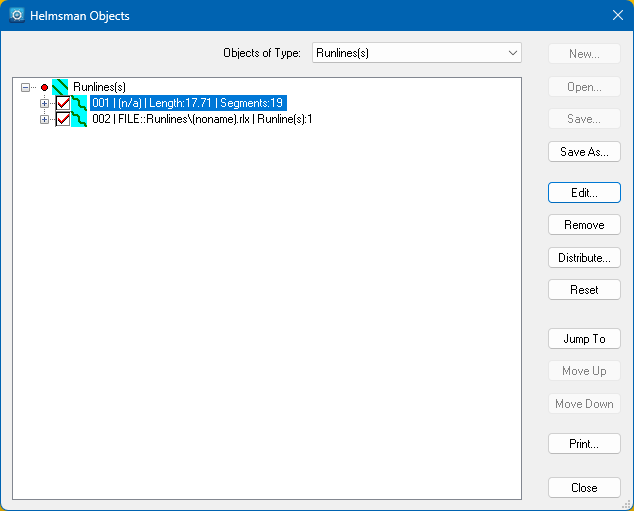
Next step is to display the available runlines and click on the original runline, not the one just saved and Edit:
Go to Waypoints, set the reference position, options and then Save As:
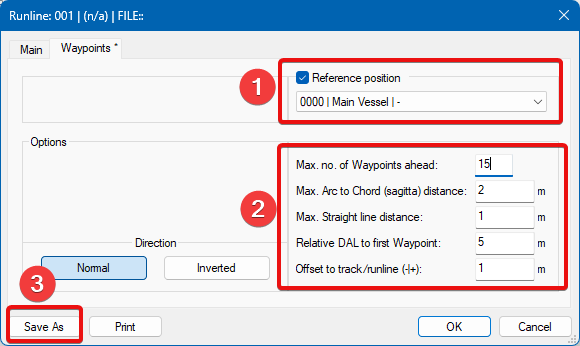
This time, Helmsman saves the waypoints file (*.wpt).
Now, go to Runline Control toolbar and press "Start"

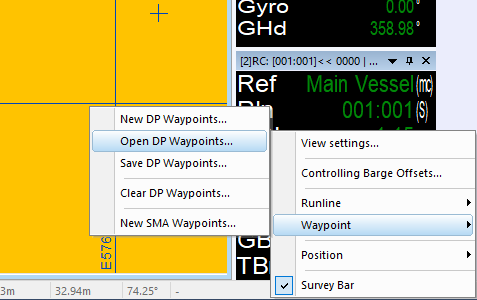
Go to Runline Control window, right-click, Waypoint, Open DP Waypoints... and load the previously saved *.wpt file. The waypoints are sent over to the Kongsberg system via the driver set in the NaviPac config.
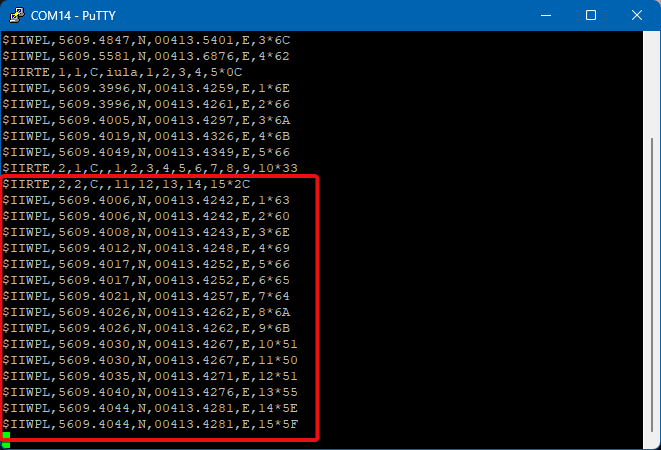
Below the waypoint strings can be seen sent out on the com as it has been setup in this example: