
Q: How can I remove NaviPac/Helmsman completely from my PC if I require to do a new clean installation?
A: If NaviPac and Helmsman are installed on the PC and it is required to remove the programs and the associated files for a new clean installation, the below actions must be performed.
Please note uninstall will not remove user data or user changes – for example: information in registry or created files cannot be removed automatically. It has to be done manually.
Make sure you backup the licences already activated so you can use them again. They are located in C:\ProgramData\EIVA\Licences
A backup of the files(survey data or setup data) located in the paths mentioned is required if you want to not erase them.
- Ensure NaviPac, Helmsman or any other modules are not running. If it was running and closed you have to manually stop the following services before uninstallation: EIVA Master Service (EivaMaster); EIVA Remote Service (EivaRemote);
- Open Control Panel, go to Programs and Features, locate NaviPac and Helmsman and uninstall them
- Verify previously uninstalled software is removed from the PC
- Delete remaining EIVA folders:
- C:\EIVA (keep the other software if installed eg. NaviScan, NaviEdit etc)
- C:\ProgramData\EIVA\NaviPac (program data is a hidden folder, to see it unhide it)
- C:\ProgramData\Eiva (all if only NaviPac is installed or all besides NaviScan, NaviEdt etc if you have others installed)
- C:\Program Files\EIVA\EivaTimeService
- Verify the Services to be gone from the list. EIVA Time Service will notbe deleted and therefore you must stop it and delete it manually. If for some reason the others appear too, remove services via elevated command prompt as follows:
sc delete "EivaMaster"sc delete "EivaRemote"sc delete "EivaTimeService"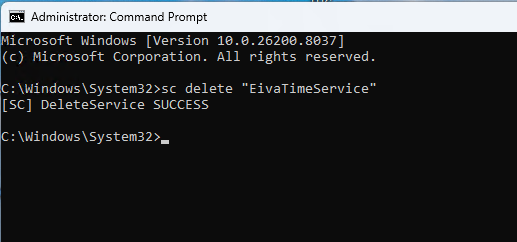
- Delete EIVA registry keys, if you have other NaviSuite software installed make sure you do not delete any for those:
- HKEY_LOCAL_MACHINE\SOFTWARE\WOW6432Node\EIVA - related to NaviPac and Helmsman
- HKEY_CURRENT_USER\Software\EIVA\NaviPac
(Additionally, search for “EIVA” in the registry and review remaining entries belonging to NaviPac and Helmsman)
- Delete service-related registry keys:
- HKEY_LOCAL_MACHINE\SYSTEM\CurrentControlSet\Services\EivaMaster
- HKEY_LOCAL_MACHINE\SYSTEM\CurrentControlSet\Services\EivaRemote
- HKEY_LOCAL_MACHINE\SYSTEM\CurrentControlSet\Services\EivaTimeService
- The wibukey (for hard dongles) can also be uninstalled if required by uninstalling it in the same way from the Control Panel
- Restart the PC
- Confirm that previously removed files and software is not present anymore
- Start installation process