
Q: PointEditor in NaviModel works slow and sometimes I get artifacts. How can I improve the behavior?
A: PointEditor is a high resources consumer, especially 3D resources. For a smoother and more stable experience, best idea is to assign the GPU to be used.
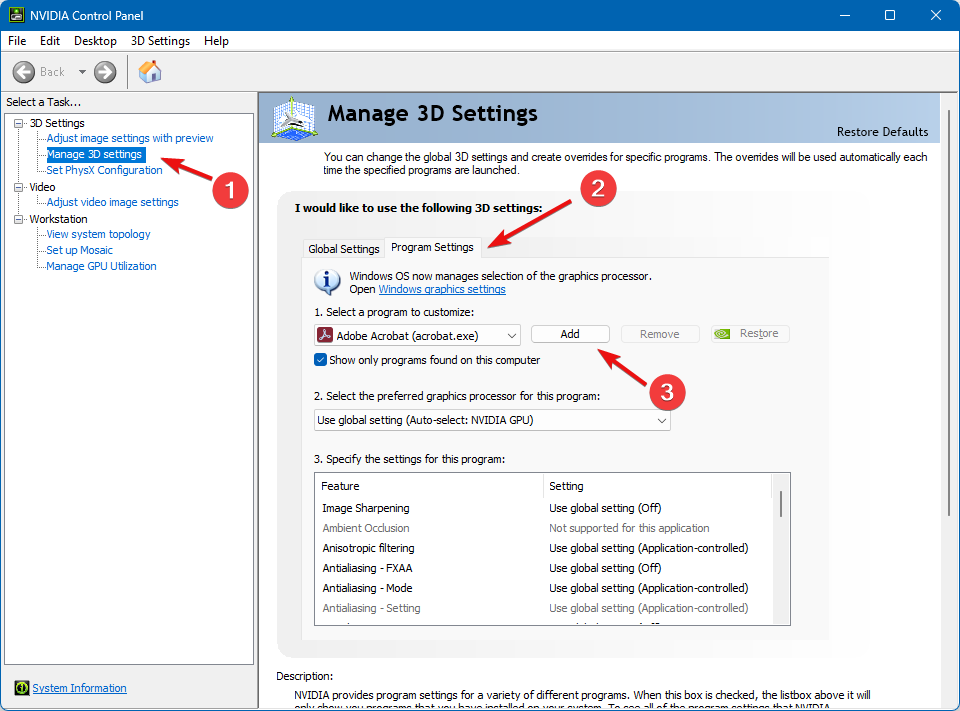
Step1. Open Nvidia Control Panel, under 3D Settings locate Manage 3D settings (1), click on Program Settings (2) and then click on Add (3)
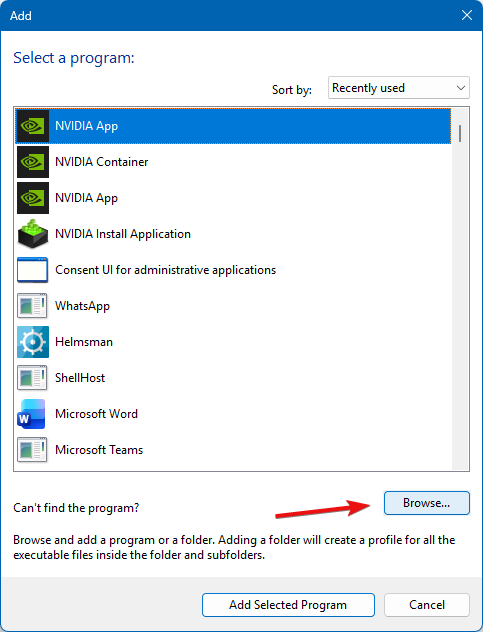
Step 2 - Click on Browse and locate C:\EIVA\NaviModel Producer\PointEdit3D\PointEdit3D.exe
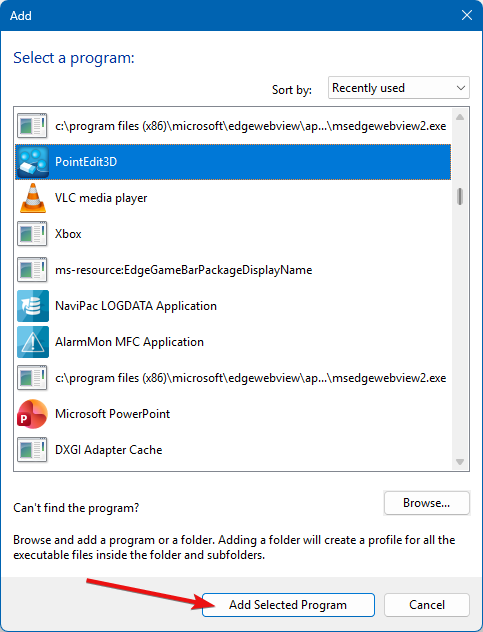
Step 3 - After adding PointEdit3D.exe, click on Add Selected Program
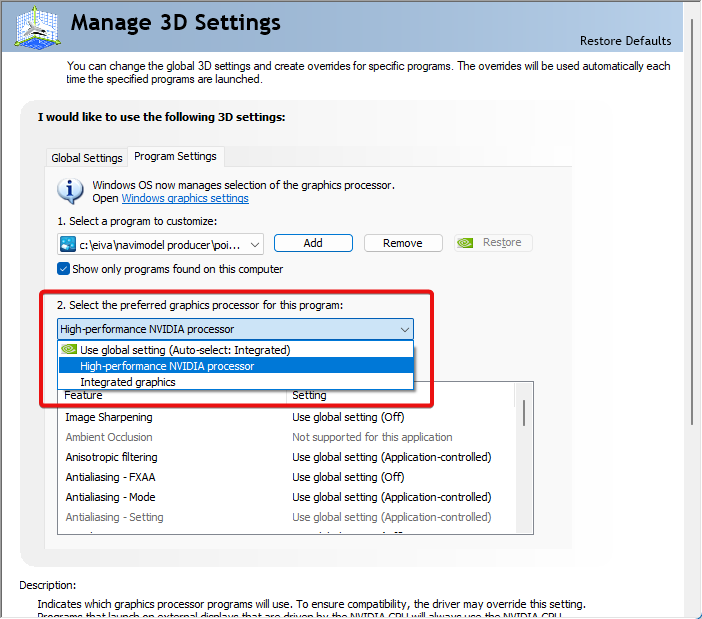
Step 4 - With the program selected, go to 2. Select the preferred graphics processor for this program and choose High-performance NVIDIA processor - at the end press Apply
Note: you can repeat the above steps with PointEdit3D.exe located in C:\EIVA\NaviEdit\bin