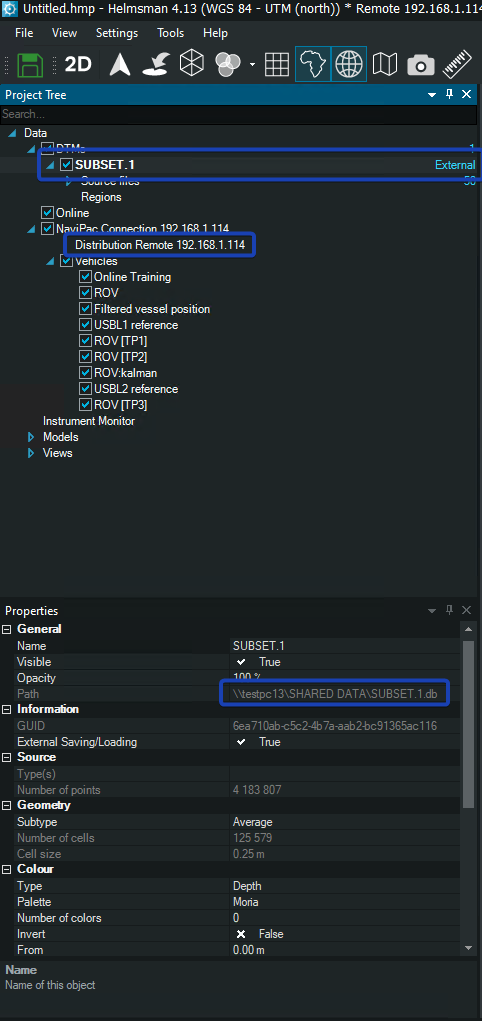
Q: How can I share a DTM between Master and Remotes?
A: DTM files (.db) can be shared between the Master and Remotes only in a specific way, different then the normal way of distributing files (runlines, waypoints, displaylines etc.).
The DTM file (.db) must be placed in a shared folder in the network and then dropped into Master Helmsman and marked it as external. The below steps must be followed:
Step1: locate the shared folder and the *.db file that you need to load it into Helmsman
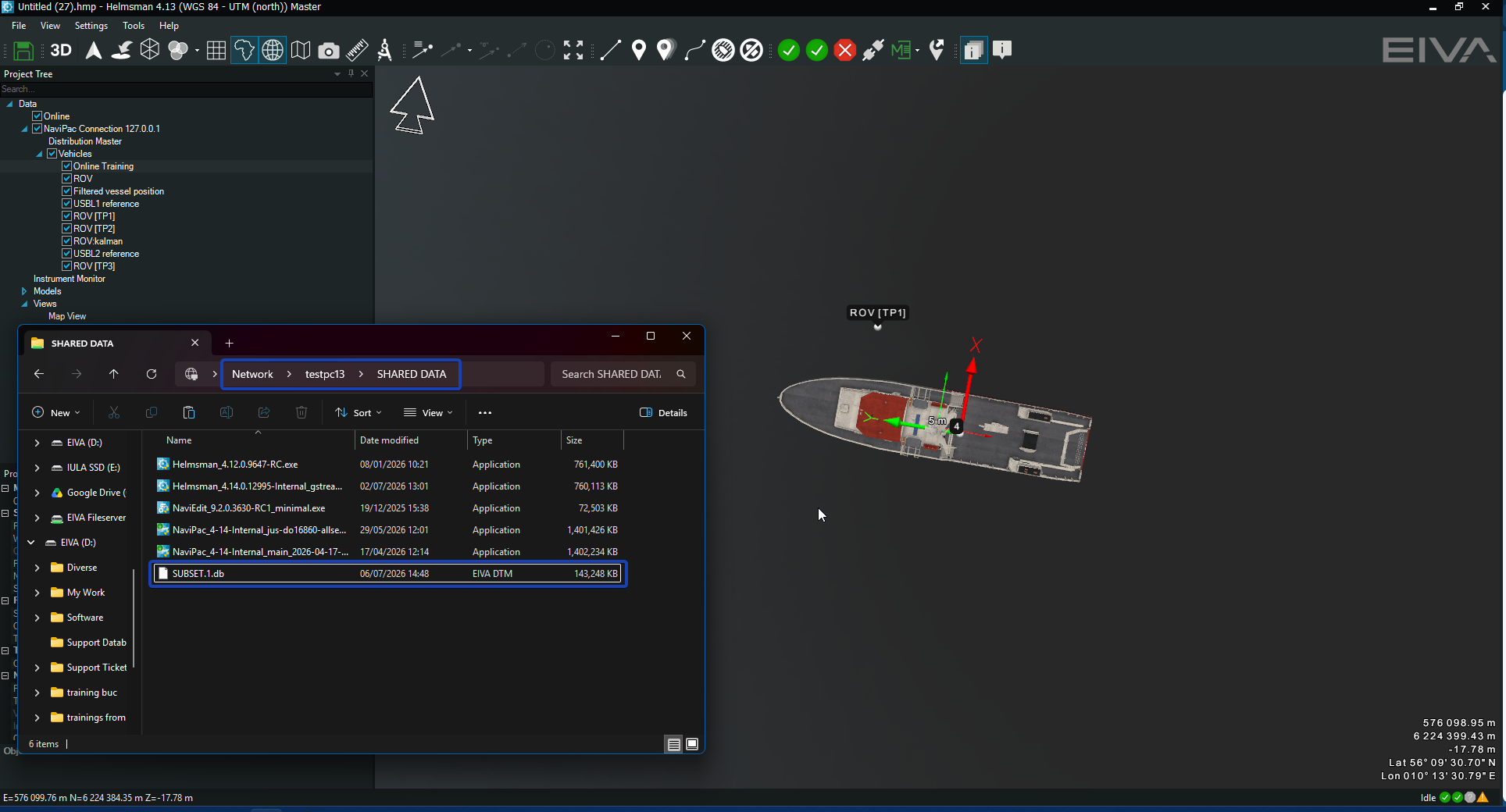
Step 2: drag and drop the *.db file into Helmsman's map view
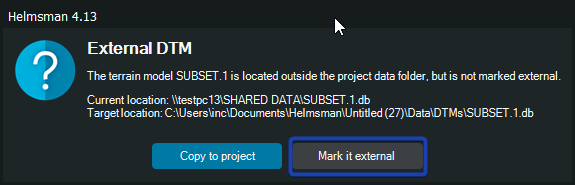
When prompted, select "Mark it external
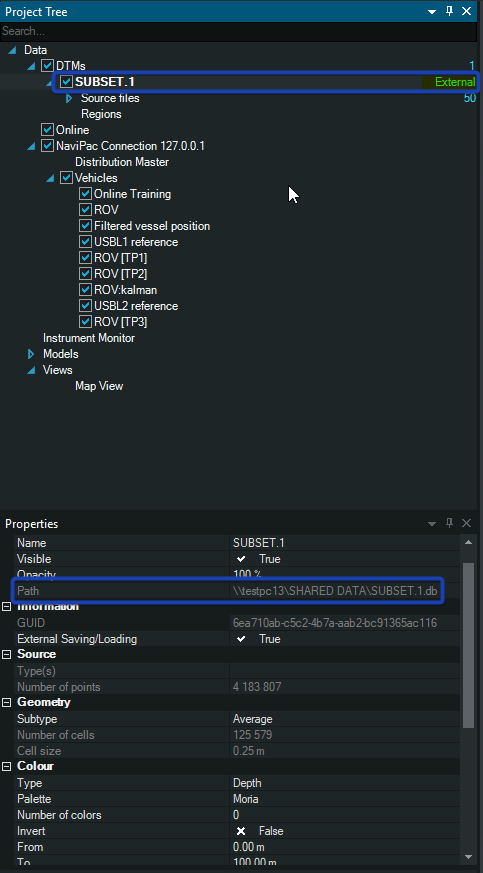
Step 3: make sure the path is not a local path, but a remote one
Step 4: check the remote(s) to see if the respective *.db file has been loaded