Q: How can I setup and control the BlueView sonar M900-2250 Mk2 (BlueView M900/2250-S 130/45-MK2) in EIVA NaviScan software/Mobula/Helmsman?
A: The connection of a BlueView sonar to NaviScan requires that the correct driver is chosen in NaviScan config. Computer network scope for the network card used needs to be in the same scope as the Sonar.
First connect the BlueView sonar to the POE J1 SONAR, and PC to J2.

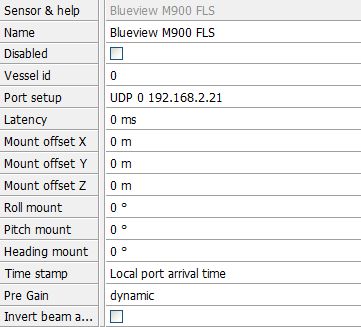
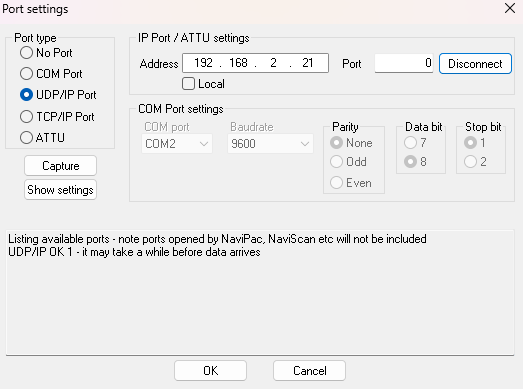
Open NaviScan config and add a new Sidescan/Forward-looking Sonar > Blueview M900 FLS > UDP: sensor IP and port is 0.
Because the communication is going through SDK DLL there will be no data shown as coming through when you try to test the port by connecting to it.
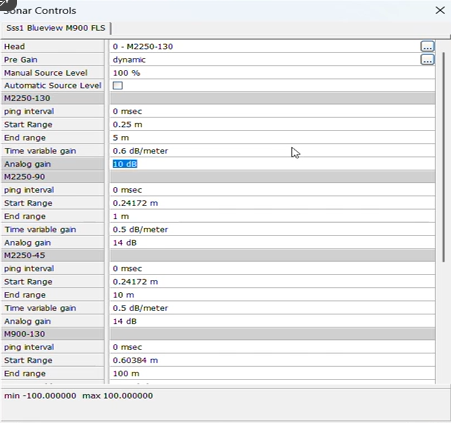
Once when you are in NaviScan Online, sonar can be controlled through Options > Sonar Controls. There will be listed all the options for Frequency and Opening angle that the sensor is sending out. Under Head option you can control Frequency and Opening angle. Each Head sent from Blueview has its own changeable parameters as for example End range is different between Frequency 900 and 2250.
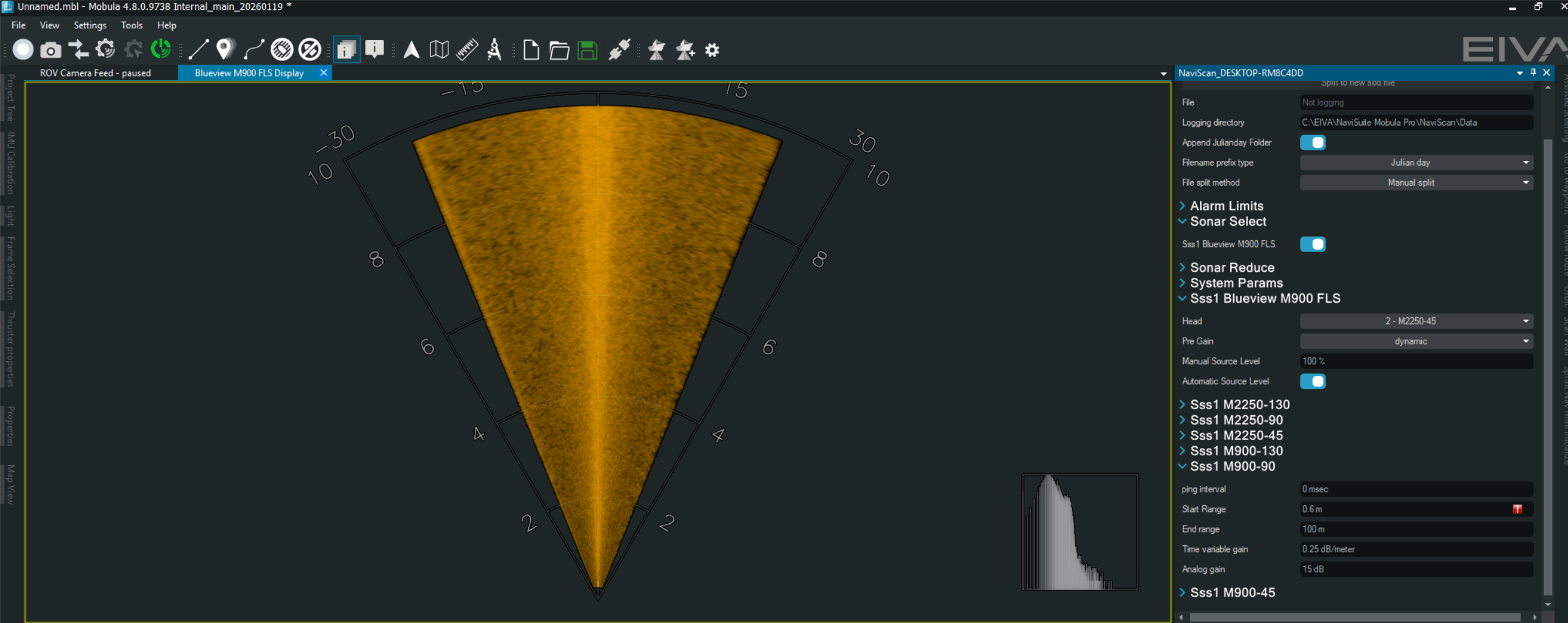
In the compatible Helmsman and Mobula interface, FLS wedge can be set to active (by right clicking in the Project tree on the device) and Sonar controls can be activated clicking on the corresponding icon. Sonar Control in Mobula and Helmsman GUI are 1:1 in functionality as the sonar Control in NaviScan Online. Bottom screenshot on the left shows FLS wedge and on the right side are available Sonar Controls for the M900/2250.