NaviSuite Kuda Core lets you control a multibeam echo sounder (for example an R2Sonic) directly, so you can adjust the sonar during acquisition without leaving the main display.
1. Set up the controls in the configuration
The multibeam controls are defined per project in NaviSuite Kuda Core Config:
- Open NaviSuite Kuda Core Config.
- Go to Project Settings > Instrument Extra.
- Configure the sonar control settings for your multibeam there. (Instrument Extra holds settings that are specific to a sensor type and apply to the project, not only to the instrument driver.)
2. Use the Sonar Controls toolbar during acquisition
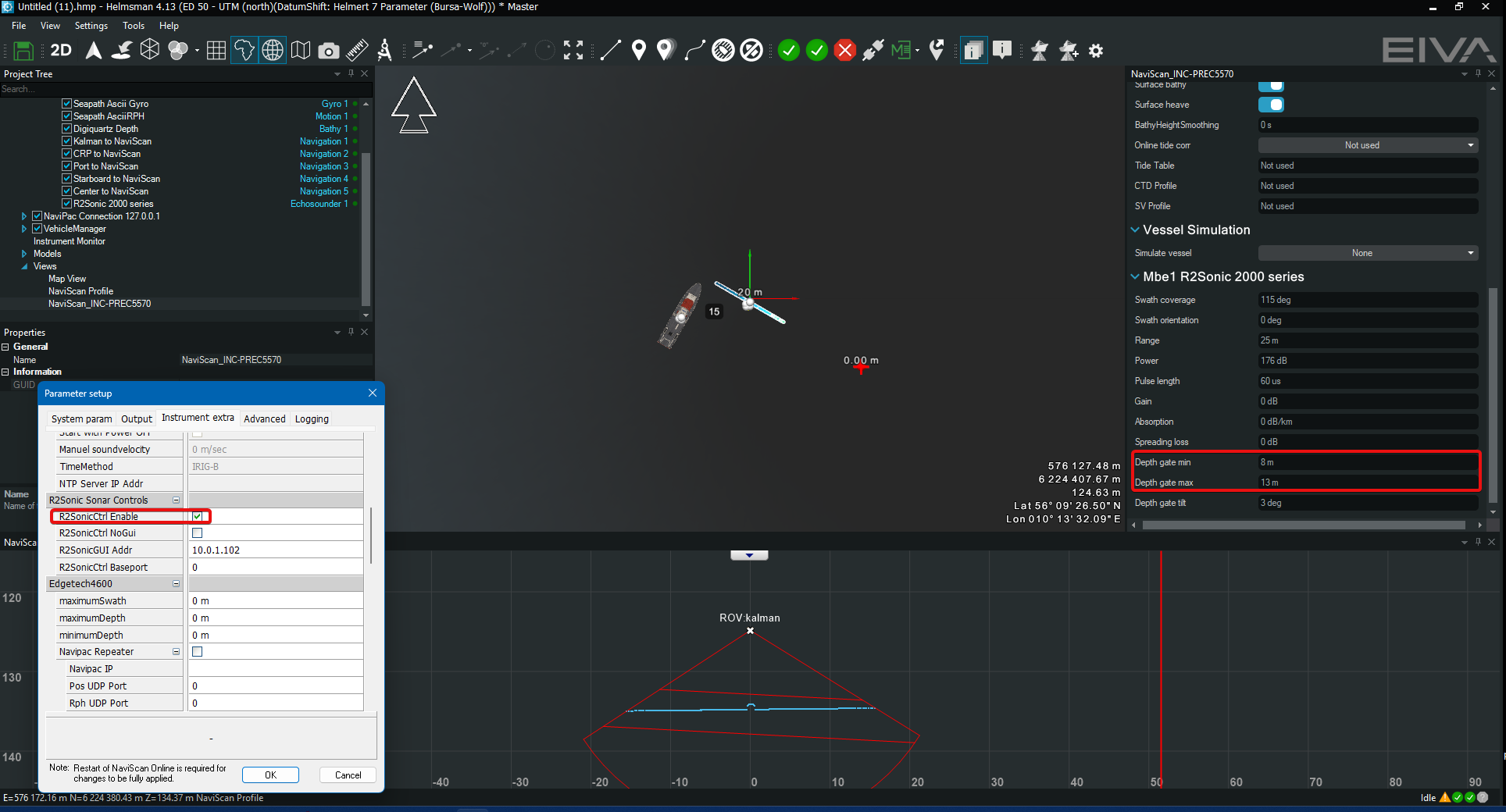
Once acquisition is started and the NaviScan kernel is connected to the project, the Sonar Controls toolbar appears in Helmsman. Click the Sonar Controls button to open it, then adjust the multibeam settings live. For an R2Sonic, for example, you get a section from which the multibeam settings can be changed directly from NaviSuite Kuda Core.
3. Monitor the data with the NaviScan Profile
To see the real-time multibeam data together with the multibeam wedge and gates, add a NaviScan Profile view: View > New NaviScan Profile.
Note: The Sonar Controls toolbar only appears after acquisition has started and NaviScan is connected. If you do not see it, check that acquisition is running and that the Online node in the Project tree shows green dots.
Screenshot showing Instrument extra enabling control on bottom left, at the middle NaviScan profile is visible and to the right Sonar Controls toolbar is visible: